> For the complete documentation index, see [llms.txt](https://help.rexybot.xyz/llms.txt). Markdown versions of documentation pages are available by appending `.md` to page URLs; this page is available as [Markdown](https://help.rexybot.xyz/game-guides/guilds/creating-a-guild.md).
# Creating a guild
{% hint style="info" %}
Note: You can just join your friends guild instead of creating a new one.
{% endhint %}
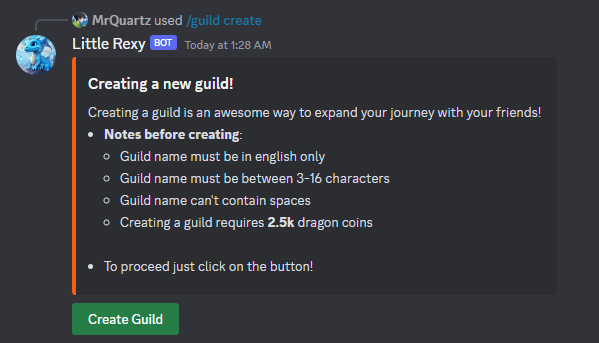
To create your own guild you can start by **/guild create** :
As you saw, creating a guild requires 2500 dragon coins
To continue just click on Create Guild Button and type your guild name there
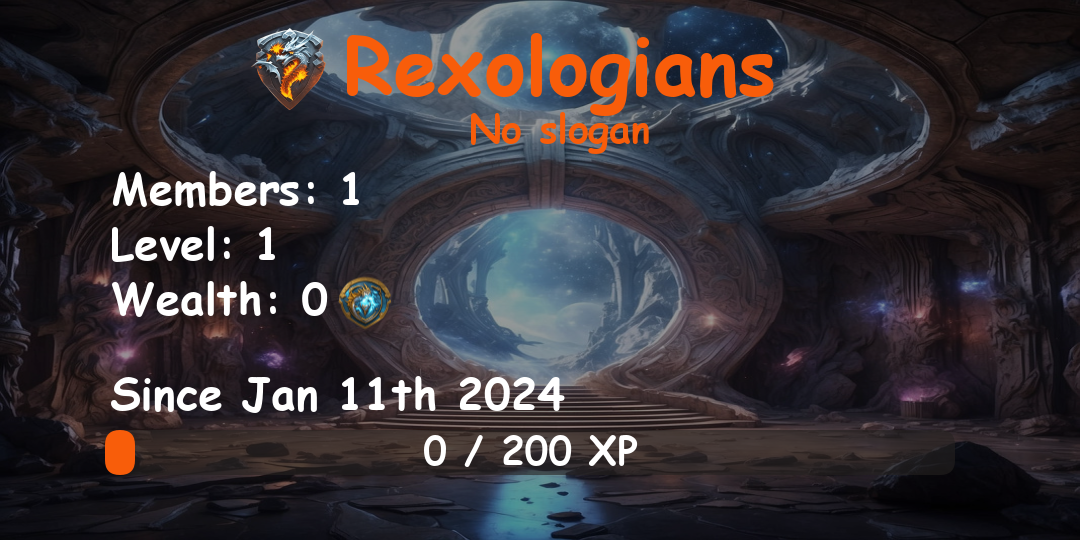
After successfully created, the bot will send you your initial guild info:
{% hint style="info" %}
Tip: to set a slogan you can do **/guild settings slogan**
{% endhint %}
Congrats!! you can access your guild info again by **/guild info** , now let's go to invite your friends!